What an AI Consultant Does for a Small Business
AI can take on the parts of a small business that cost the most time and money. Michael Kahn, an artificial intelligence consultant, architect, and engineer at Frog Stone Media in Sacramento, starts with how your business runs today. You don’t need to know how any of it works to get the benefit.
Here is the kind of work these projects take on:
- Answering enquiries. Questions from your website, email, or contact form get a quick first reply drafted for review, and anything unusual comes to you.
- Sorting email. Quotes, invoices, complaints, and spam land in the right place, so the messages that matter get answered first.
- Handling paperwork. Details from forms, receipts, and orders get pulled out and entered for you instead of typed by hand.
- Keeping your website current. Hours, menus, listings, prices, and news stay up to date without someone remembering to log in.
- Using data you already have. Sales records, customer questions, and past orders become reports, tools, and pages built to bring people back.
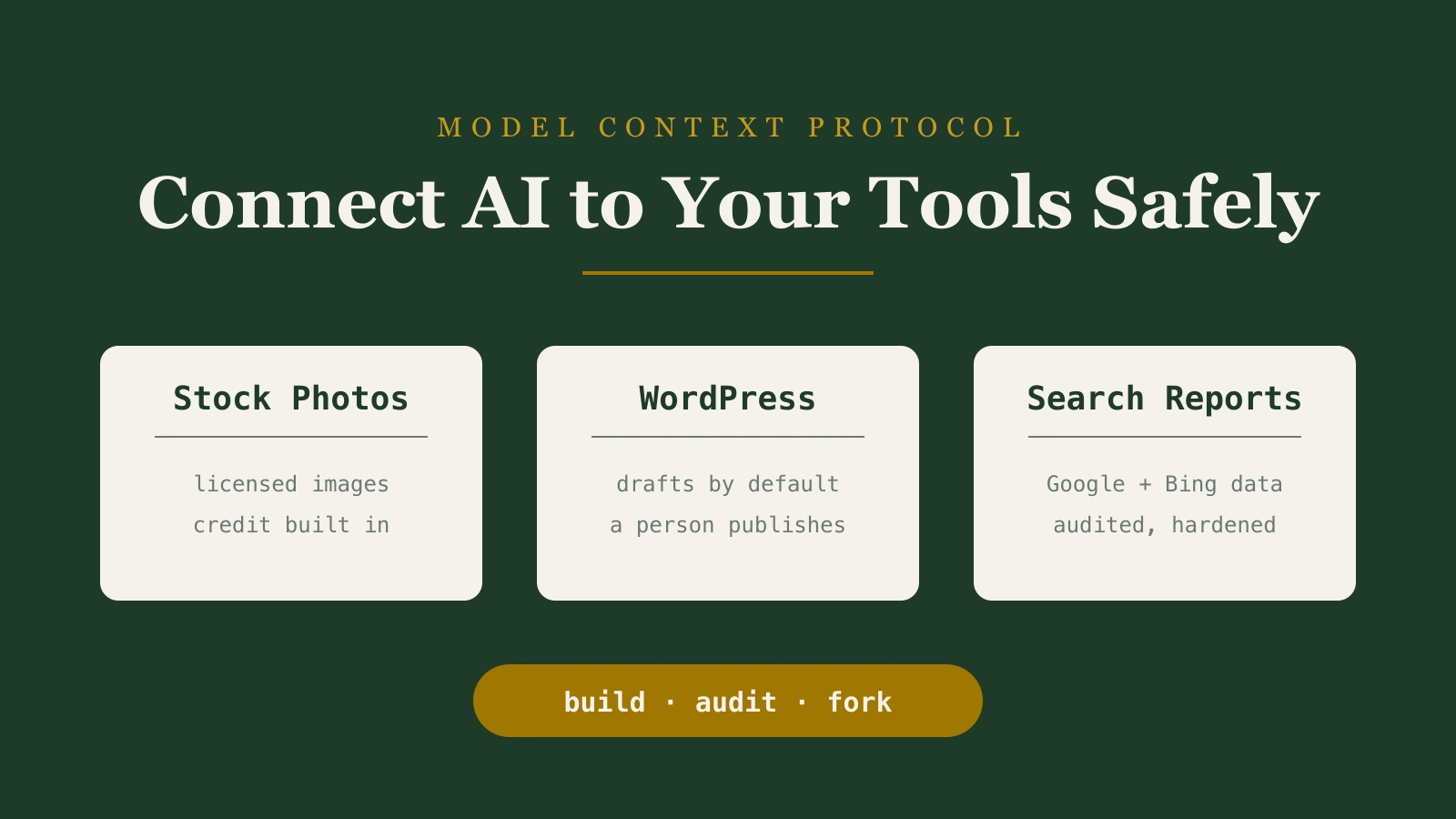
This is AI implementation consulting: the recommendation comes with a working system, not a report. Some projects are mostly AI automation, like sorting email and paperwork. Some add an AI feature to your website or app through AI development. Some give an AI assistant connections to your business tools and records.
How AI Helps Your Business
Smoother operations. Repetitive work like sorting email, entering data, and updating listings gets handled automatically, so your team spends its time on customers. A system that tracks every request helps keep things from slipping through the cracks.
Revenue growth. New ways to earn from what you already have: tools built to bring visitors back, content written to rank in search, and a website designed to turn visitors into calls and orders.
Happier customers. Faster answers, accurate information, and a website that helps people do what they came to do, including after hours.
Examples From Frog Stone Media’s Own Projects
The same kind of systems run every day on Frog Stone Media’s own publications and tools, so the approach for your business comes from work already in operation.
The Weekly Driver. An automotive publication with a reliability database and an EV battery comparison tool. The reliability and EV battery tools help shoppers compare vehicles while deciding what to buy. For your business, the same approach turns what you know into a tool customers return to.
SacGroceries. A grocery price site for Sacramento families, with price history and a “one store or several?” planner that shows whether a shopping list is cheaper at one store or split across a few. AI reads the weekly store flyers and customer submissions, and a person approves the prices before they go live. That pattern fits any business that handles a steady stream of documents: AI does the reading, and your staff makes the call.
AI-assisted content. AI drafts, a second AI reviews, and a person approves before anything publishes. The same setup helps your business keep newsletters, product descriptions, social posts, and website updates moving.
How an Engagement Works
- Scoping by email. Send a short note about what’s eating your team’s time, and a few emails sort out how your business runs and what to build first. It’s free, and there’s no sales call.
- Plan. A written plan in plain language covers what gets built, what it does for your business, how long it takes, and what it costs.
- Build. The system is built around the tools you already use.
- Check together. It runs on real examples from your business, and anything that doesn’t fit how you work gets adjusted.
- Launch. It goes live once you’re happy with how it handles your work.
- Train and support. Your team learns how to use it, with help available for questions and changes after launch.
What You Get
When you hire an AI consultant, you should end up with something that works for your business.
- A system built for your business. Clients own what is built for them.
- Plain-language instructions your staff can follow.
- Clear limits on what the AI can do, with a person approving anything important.
- Accounts and setup in your business’s name, so the system can move with you if you bring someone else in later.
How the Work Gets Checked
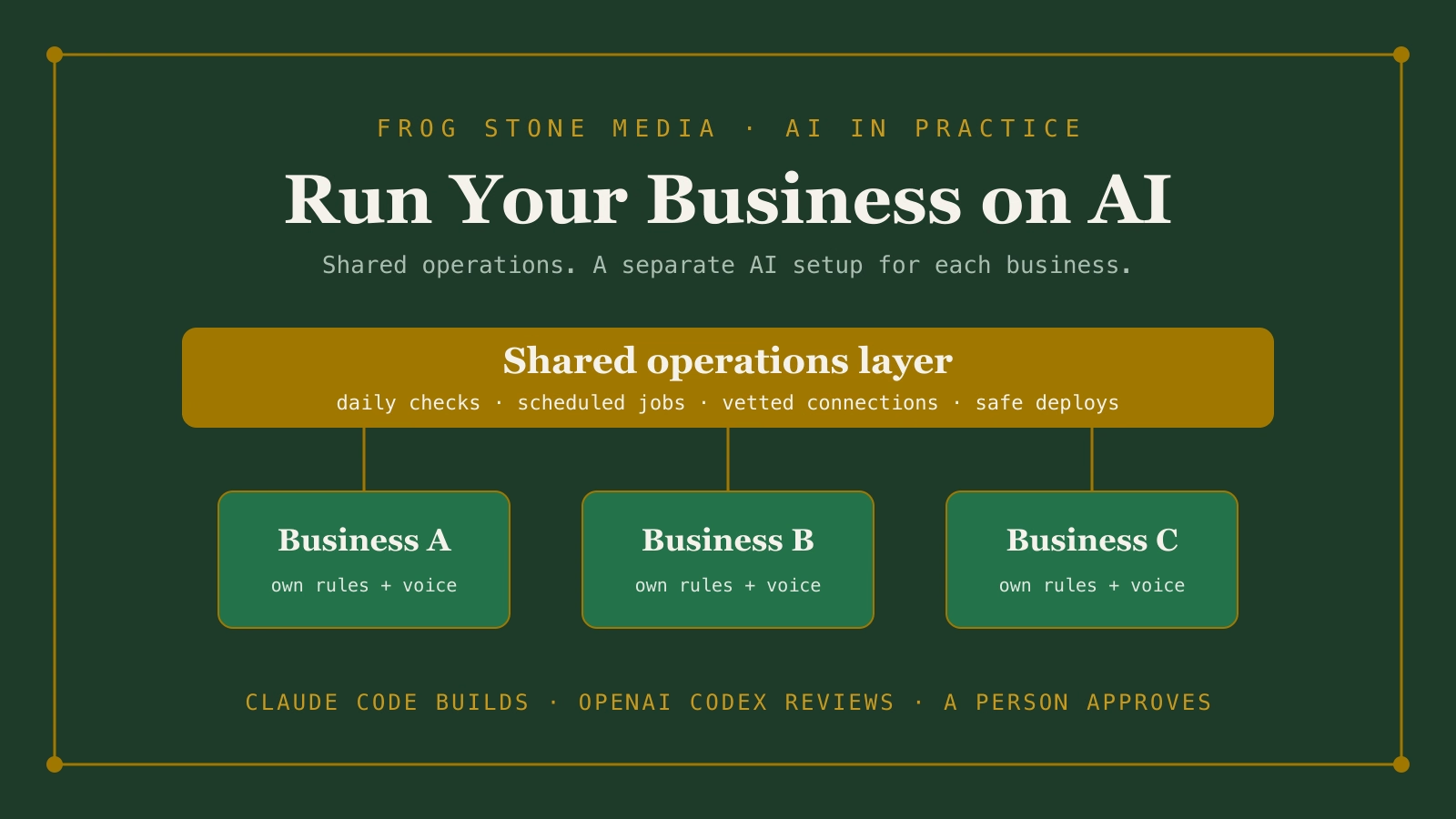
Claude Code builds. OpenAI Codex reviews. Human verified and approved.
Claude Code is the main tool for planning and building. OpenAI Codex, a second AI, reads the work on its own and flags anything that looks off. Then a person reviews the work and how it fits your business before it goes live.
An AI Consultant Near You in Sacramento
Frog Stone Media is based in Sacramento and works with businesses across the region. An in-person visit to your shop or office is available when it helps, and remote projects work for businesses anywhere in the US. Scoping happens over email either way.