FSM-Pinterest | Pin Builder, Scheduler and Analytics
Frog Stone Media's own Pinterest pipeline for The Weekly Driver and MK Library: pins built from each article's own title and photo, approved in batches by a person, spaced across Pinterest's scheduler and measured every morning.

Who it helps
Publishers who want steady Pinterest traffic from their own articles. FSM-Pinterest is Frog Stone Media’s in-house pin builder, scheduler, publisher and analytics tool.
Plain scripts run the routine work every morning, and a person reviews and approves every pin before it is scheduled. The tool holds 106 pin records: 79 approved, 23 rejected at review, 15 posted and 14 waiting in Pinterest’s scheduler.
What it does
Picks the articles worth pinning
Each morning the sync reads new and updated posts from the site’s WordPress REST API. A post qualifies when it carries the author’s byline. On Mondays the scoring step ranks the qualifying posts: newer articles score higher for their first 60 days, outbound clicks from Pinterest add to the score, and an article heading for its first pin gets a bonus. An article comes back as a candidate 30 days after its last pin.
Writes pin copy from the article itself
Pin copy comes from metadata each article already carries. The SEO title becomes the pin title, the meta description becomes the pin description, the headline sits on the image, and Key Takeaways bullets become checklist points. Alt text starts from the featured image’s alt text.
Copy checks run on every field before review, through the same voice rules the sites use. They reject em dashes and fields over Pinterest’s length limits, and they flag 9 patterns, including bare labels (“Blood flow”), stat dumps and trailing contrasts. A headline that overflows its lines, or a character the font lacks (Newsreader lacks the ʻokina, so “Oʻahu” failed), stops that candidate with a reason attached.
Renders the pins locally
A Python renderer built on Pillow draws every pin at 1000 by 1500 pixels, the 2:3 shape Pinterest favors, and saves it with a keyword filename such as best-luxury-three-row-suv-photo.jpg.
- The Weekly Driver: navy panels in Playfair Display and Inter. The Photo layout runs the car photo down 1,120 pixels and fades it into the panel. The Checklist layout pairs a 600 pixel photo with four facts from the article, such as “2027 Chevrolet Bolt LT: $28,995”.
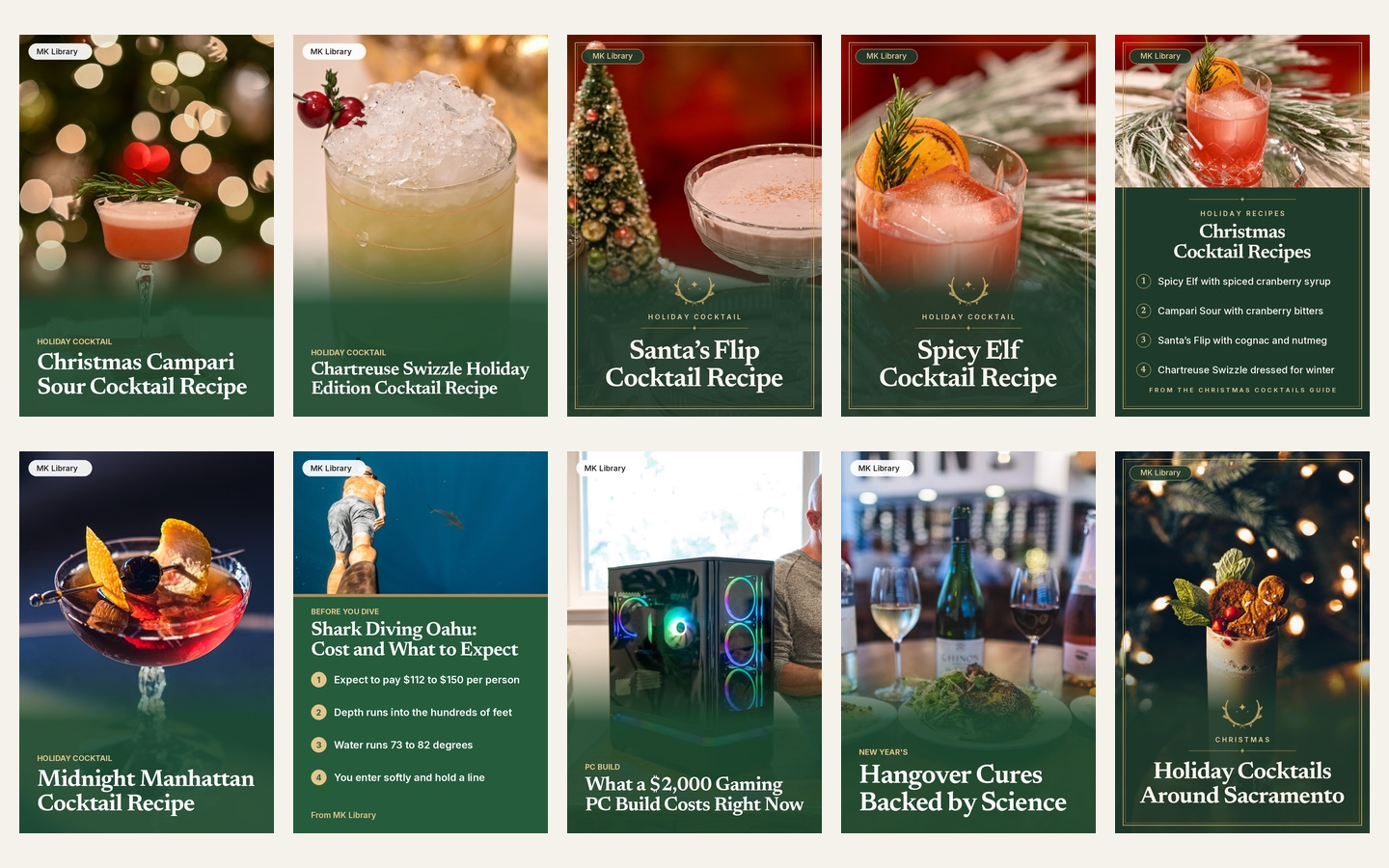
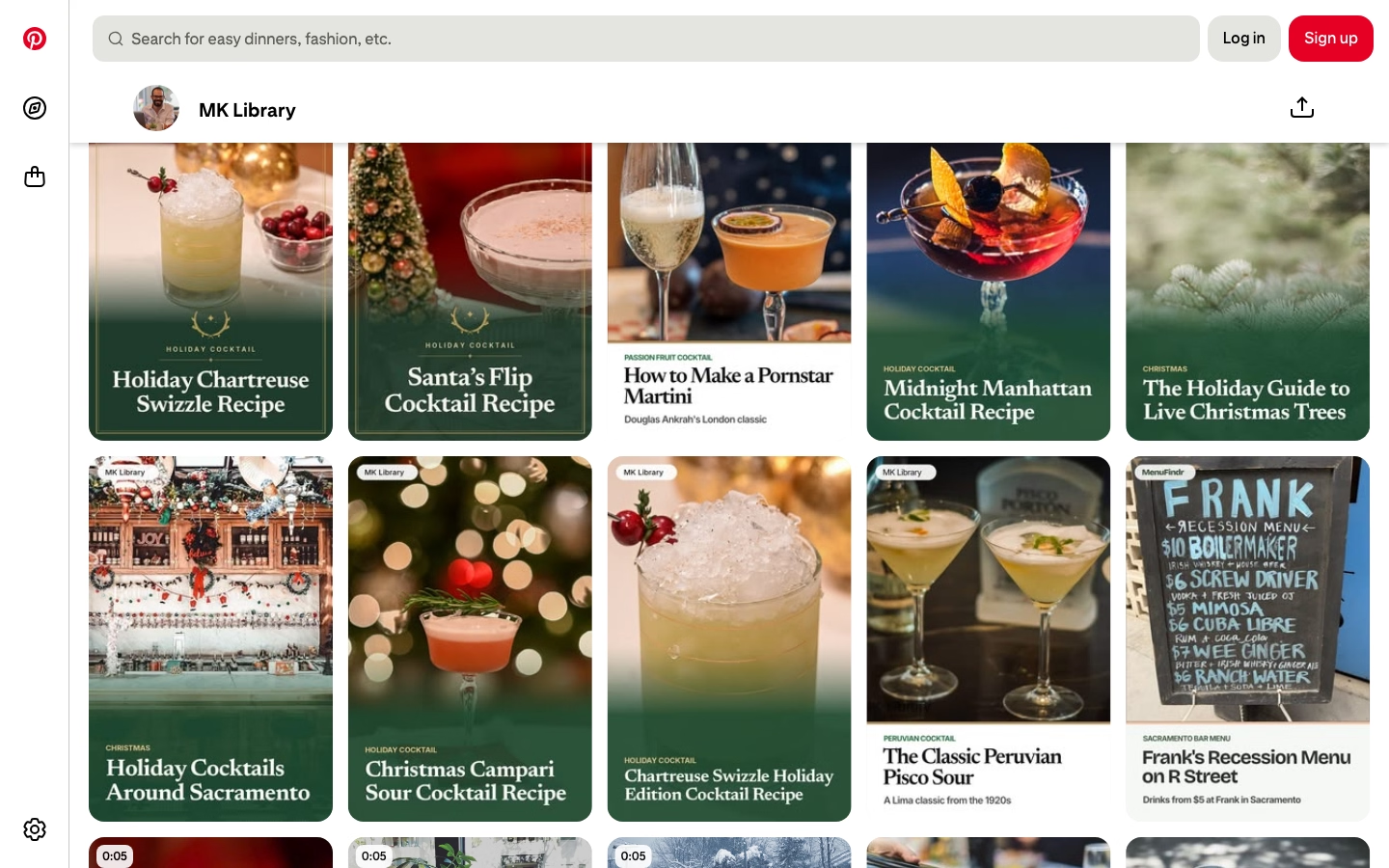
- MK Library: a forest green look in Newsreader and Inter, measured from MK Library’s Canva templates, with Photo and numbered List layouts.
- Christmas: holiday posts get an evergreen band, a double gold frame, a wreath and centered type.
Per-pin controls lift a low subject above the text panel by up to 600 pixels or crop up to 2x tighter, then redraw the pin.
Canva brand templates cover the layouts the renderer leaves to hand work: 15 templates, a Photo, a Versus or Compare and a Checklist or List design for each of the 5 sites. 28 of the 106 pins came from Canva, including MenuFindr’s restaurant menu pins.
Puts a person on every batch
Proposed pins wait in a batch with a contact sheet and their copy-check flags. A person reviews each pin and approves or rejects it, and only approved pins reach the scheduler. Approval covers the exact image, title, description, alt text, link, account and board, so any edit sends the pin back for review.
Spaces pins across the calendar
The slot planner fills the next 30 days, empty days first:
- Daily caps: each account has its own evening slot times, with 2 to 3 pins a day.
- Spacing: 7 days between two pins for the same article.
Missed slots move to open future slots inside the same daily caps. On November 18, the schedule had a pin on every day through December 7.
Pins holidays in season
Seasonal posts carry a window in each account’s settings, from Halloween and Thanksgiving to Christmas, New Year’s, St. Patrick’s Day and a winter driving season. A holiday post enters the queue 60 to 90 days ahead and ranks first, with its last slot the day before the holiday. One holiday post can yield a pin for each of its photos, with up to 8 holiday pins a day. The first Christmas wave, approved November 17, put 26 holiday pins on the calendar.
Fills Pinterest’s own scheduler
Pinterest’s native scheduler holds 10 pins per account, up to 30 days out. Each morning the publisher refills the queue to 10 from the planner’s next approved slots, through Pinterest’s pin-creation tool and its “Publish at a later date” option.
The publisher is built to stop at the first surprise. Before each pin it confirms the signed-in username and that the board belongs to that account. After each pin it reads Pinterest’s scheduled list to confirm the pin landed. A changed page, a security check or a read-back that fails turns publishing off for that account until a person reviews it, and the dashboard shows the stop in red. A pin with an unclear outcome is marked unknown and stays out of automatic retries.
Reconciles what Pinterest holds
A reconcile step reads Pinterest’s scheduled list and matches each row to its pin record by title and slot. Once a pin posts, the match step looks it up through the Pinterest API by link, board and title within a 3-hour window and stores its pin ID, so its numbers attach to the right record. Each pin record lives in the site’s own content tracker, where The Weekly Driver’s tracker shows posted and total pins on each article’s Pin button.
Keeps its own analytics history
Every morning the tool pulls account metrics and per-pin metrics from the Pinterest API v5 (impressions, saves, pin clicks and outbound clicks) and stores them in SQLite. A 90-day backfill started both histories.
Each run rewrites a stats summary and a dashboard page per account. The dashboard holds account totals for 7, 30 and 90 days, a daily trend line, tracked pins and boards, articles worth another pin and the pipeline counts. Figures expire 36 hours after the last successful pull, and an expired page shows STALE in red.
How it works
One run at 6:45 AM covers every reviewed account, The Weekly Driver first, switching Pinterest accounts between them and switching back at the end. Mondays add a link check on every pinned URL and a check that each account’s boards still match its settings. Anything waiting on a person, such as a batch to approve, a queue running within 2 days of empty or a stopped publisher, lands as a line on the next morning’s maintenance list.
What it does for the business
Both publications now post on a fixed daily rhythm, and the morning dashboard shows what each account earns. The per-pin history shows which articles and layouts earn the next round of pins. Pins go out on Frog Stone Media’s own schedule and look, with a person on every batch and the scheduling, spacing, reconciliation and reporting handled by scripts.
For a publisher or a shop with a catalog of articles or products, the same approach works as a small custom API integration: read the site, build the pins from content already written, let a person approve, and measure every morning. To talk through Pinterest or another channel for your own site, get in touch.
For your technical team
- About 6,000 lines of Python and JavaScript: a stdlib Python CLI with 18 subcommands, Pillow for rendering and Node Playwright scripts for the scheduler steps.
- 420 automated tests across 24 test files, passing in about 10 seconds, including a byte-identical golden image test for The Weekly Driver’s renderer.
- Pin statuses run
proposed,approved,submitting,scheduled,posted, plusrejected,unknown,failedandwithdrawn. One writer holds a lock file per account, and every record update writes a temp file and renames it into place. - Pinterest API v5 with OAuth and token refresh for both accounts. Credentials live in the macOS Keychain, and Standard API access, once Pinterest grants it, opens a direct publishing path with a due-time executor.
- Analytics rows are keyed by account, pin ID, date and metric and upserted, so a re-pull replaces figures in place and a missing day stays distinct from a zero.
- Per-account JSON settings hold boards, category-to-board rules with their pin labels, slot times, daily caps, spacing and season windows.
Want something like this for your business?
Send a short email about the problem you want solved and get a written scope back.
Start With a Free Email Scope