Website Security Best Practices: 8 Steps to Protect Your Site
A hacked website costs more than the fix. It costs trust, search rankings, customer data, and revenue. Google flags compromised sites with security warnings that drive away 95% of visitors.
Every Frog Stone Media site ships with security configured, and every maintenance plan includes ongoing monitoring. Most security breaches are preventable with basic practices.
4 Security Layers Every Site Needs
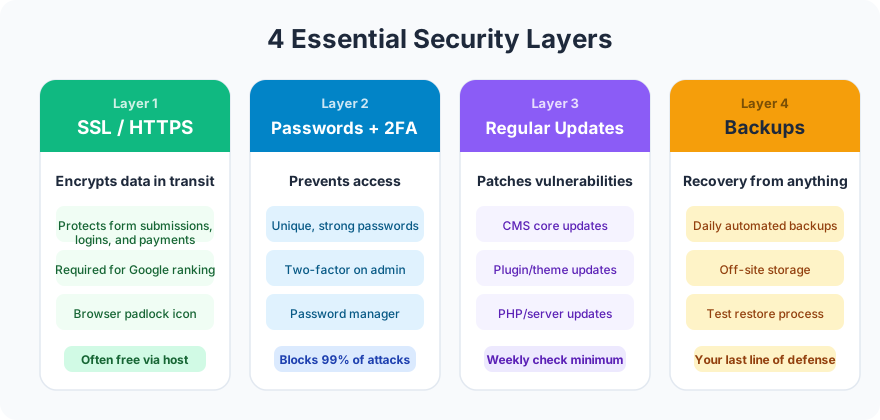
SSL/HTTPS. Encrypts all data between the visitor’s browser and your server. Required for trust, required for SEO, required for any site that collects form data. Free through Let’s Encrypt.
Strong passwords and two-factor authentication. Admin passwords should be 16+ characters, unique, and stored in a password manager. 2FA adds a second verification step that blocks 99% of unauthorized login attempts.
Regular updates. CMS platforms, plugins, and server software release security patches regularly. Unpatched software is the #1 attack vector for website hacks. Update weekly or enable auto-updates.
Automated backups. Daily backups stored off-site (not on the same server). If everything else fails, a recent backup means you can restore your site in hours instead of weeks.
Common Threats
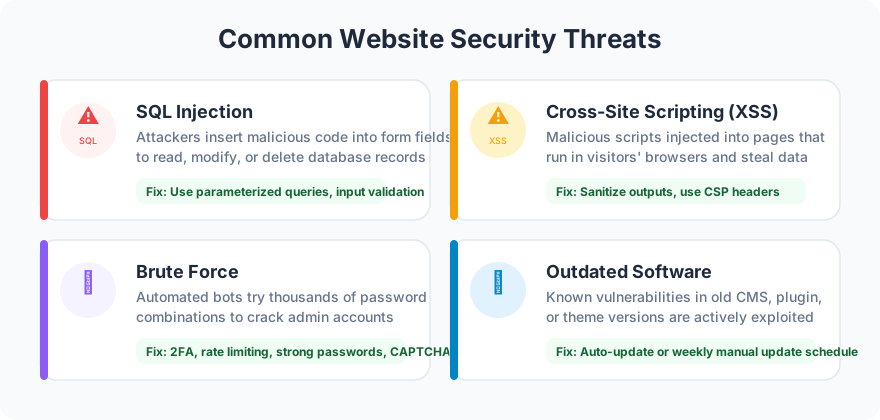
SQL injection. Attackers inject malicious code through form fields to access your database. Prevented by input validation and parameterized queries.
Cross-site scripting (XSS). Malicious scripts injected into your pages that execute in visitors’ browsers. Prevented by Content Security Policy headers and output encoding.
Brute force attacks. Automated tools guess passwords by trying thousands of combinations. Prevented by strong passwords, 2FA, and login attempt limiting.
Outdated software. Known vulnerabilities in unpatched CMS platforms and plugins. Prevented by regular updates.
Security Checklist
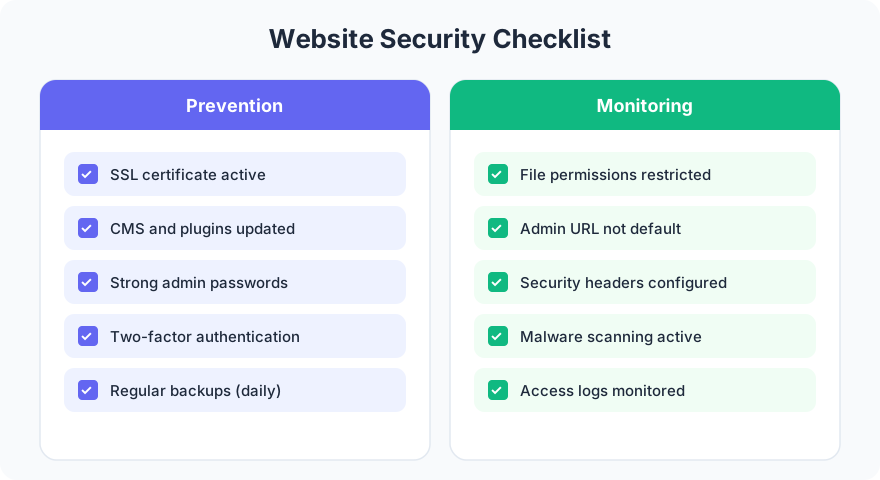
Run through this checklist quarterly. Security is not a one-time setup. It is ongoing maintenance.
FAQ
How often should I update my website’s software?
Weekly for CMS and plugin updates. Immediately for critical security patches. Enable auto-updates if your CMS supports them. Every day without updates is a day your site runs on known vulnerabilities.
What should I do if my website gets hacked?
Immediately: take the site offline, restore from a clean backup, change all passwords, and scan for remaining malware. Then: identify how the breach happened (usually outdated software or weak passwords), patch the vulnerability, and submit a reconsideration request to Google if your site was flagged.
Website security is not optional. It is the foundation that everything else sits on. A hacked site destroys trust that takes months to rebuild.
Want security built into your site from day one? Get in touch about your project.