Using Claude Code to Build and Maintain Websites
Frog Stone Media builds websites and web apps for a living. Between client projects and in-house products like Paddle Conditions and ContentMK, the work spans multiple codebases every day. Claude Code has become the most-used tool in that work, not because it writes the code, but because it handles the tedious parts of AI-assisted development that eat hours without producing anything interesting.
Here is how it actually gets used.
Accessibility Audits That Would Take Hours
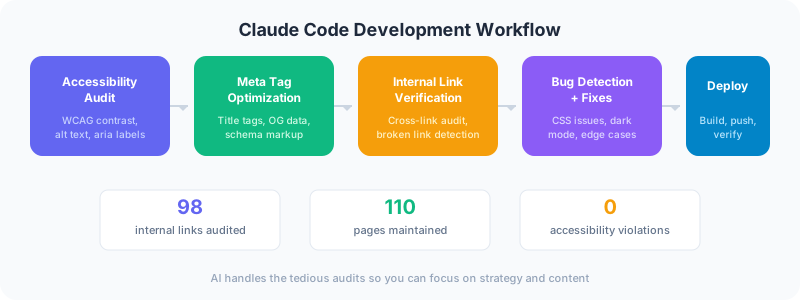
WCAG compliance is one of those things every developer knows they should do but rarely does thoroughly. Running a Lighthouse scan catches the obvious stuff. But real accessibility testing means checking contrast ratios across every color combination on your site, verifying keyboard navigation works on every interactive element, and making sure screen readers get meaningful content from your markup.
A full WCAG AAA audit recently ran on DevSac.com after dark mode support went in. Claude Code checked every text and background combination against AAA contrast thresholds (7:1 for body text, 4.5:1 for large text). It found that the headings hit 15.85:1, body text came in at 10.94:1, and the green accent color scored 9.21:1. All passing, but that was only known because it checked every combination systematically, not just the ones someone remembered to test.
The real value was catching a bug that would have shipped. A CSS keyframe animation called golden-hour was cycling through cream background colors for an ambient effect on the homepage. In dark mode, those cream colors still rendered because CSS animations override regular style rules. Claude Code identified the conflict, and the fix was a parallel golden-hour-dark animation that cycles through dark forest greens instead. That is the kind of bug that looks fine on your monitor during development and breaks on a client’s phone at midnight.
Project Organization That Scales
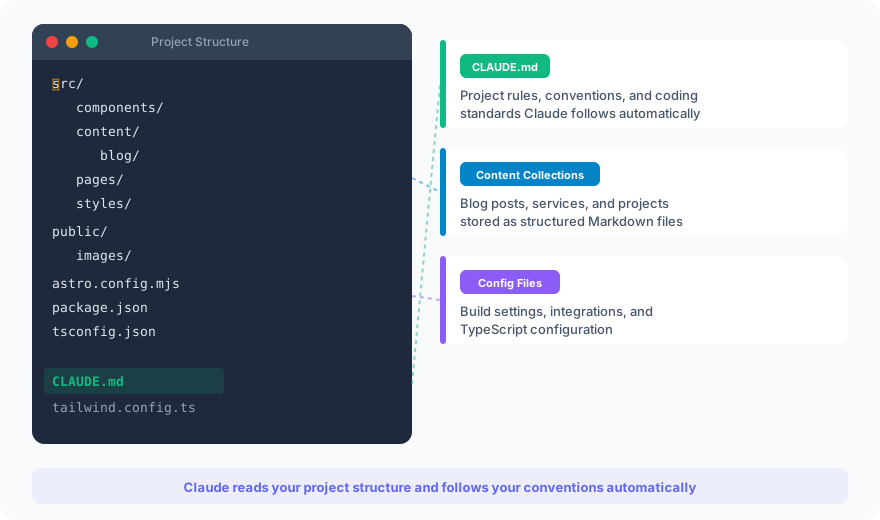
Building WHFoods.info meant managing 1,000+ pages of interconnected content: 135 foods, 700+ recipes, 43 nutrients, 15 meal plans, and 225+ articles. Every food references nutrients. Every nutrient references foods. Recipes reference both. The data model has to connect everything without circular dependencies or orphaned content.
Claude Code keeps track of where things stand across that kind of complexity. During client service page builds, it maintains a priority list based on keyword volume and difficulty scores, tracks which pages are drafted versus deployed, and flags when a new page needs supporting internal links from existing content. For DevSac alone, 24 service pages and 9 industry vertical pages shipped in a single sprint. Without a system to organize that work, track dependencies, and verify each page before moving to the next, that volume would have been a mess.
The same applies to smaller projects. Paddle Conditions pulls data from seven different sources (USGS, NOAA, NWS, and more) and exposes 13 sensor entities per location. Keeping track of which API integrations are complete, which edge cases need handling, and what the scoring algorithm should weigh for different paddle activities is the kind of organizational overhead that compounds fast.
Finding Issues Before Clients Do
The most valuable thing Claude Code does is catch problems nobody knew existed. Not theoretical problems from a linter. Real issues in production code.
When Tailwind CSS dark mode went into this site, some muted text elements used text-cream/70. That opacity modifier uses CSS custom properties under the hood. In light mode, --color-cream is a light value, so 70% opacity looks fine. In dark mode, --color-cream swaps to a dark value, and suddenly 70% opacity of a dark color on a dark background is invisible text. Claude Code caught the pattern across multiple components, and inline styles fixed them for elements on fixed-color backgrounds.
That is not a bug any automated tool would flag. The markup is valid. The CSS compiles. The Lighthouse score does not change. But real users in dark mode would see nothing where there should be text.
Automating the Tedious Parts
Every web project has grunt work that nobody wants to do but everyone needs done:
Meta tag optimization. Title tags and meta descriptions across 77 pages needed updating to follow a consistent format and hit target keyword placement. Claude Code processed every page, applying the naming convention, keeping descriptions under 160 characters, and making sure primary keywords appeared in the right positions.
Deployment verification. After deploying to cPanel via rsync, there are always questions. Did the MIME types register correctly? Is the sitemap updated? Are the new pages returning 200s? Claude Code runs through the post-deploy checklist faster than anyone can open browser tabs.
Internal linking audits. Good internal linking is one of the highest-leverage SEO activities and one of the most tedious. When a new service page goes live, existing blog posts and project pages should link to it where relevant. Claude Code scans existing content for natural linking opportunities and suggests anchor text that matches the target page’s keywords.
Content collection consistency. With 22 blog posts, 12 projects, 24 service pages, and 11 area pages, keeping frontmatter schemas consistent matters. A missing description field means no meta tag. A wrong date format breaks the build. Claude Code validates the entire content collection and catches schema drift before it becomes a production issue.
What It Does Not Replace
Claude Code is not a substitute for knowing what you are building. It does not make architectural decisions. It does not know that your client’s industry has specific compliance requirements. It does not understand that the Sacramento real estate market has different dynamics than the Bay Area market, which matters when you are writing copy for a local realtor’s website.
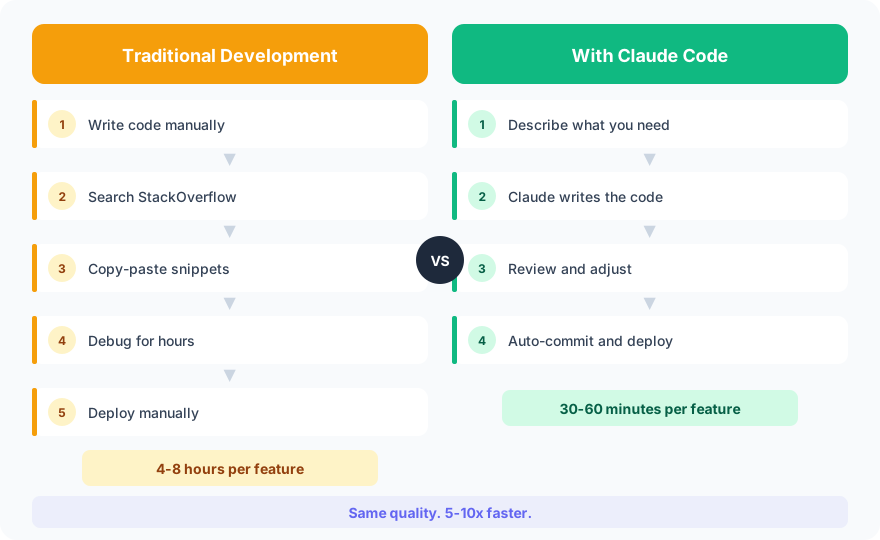
This is exactly how vibe coding works in practice. It works as a force multiplier for skills that already exist. The accessibility knowledge, the SEO strategy, the understanding of what makes a website actually work for a business, all of that comes from 15+ years of building things for real users. Claude Code makes executing on that knowledge faster.
What This Means for Clients
Every Frog Stone Media website gets this level of attention. WCAG accessibility audits are not an add-on. Deployment verification is not optional. Internal linking strategy happens as part of the build, not as an afterthought six months later.
If you want a developer who uses every available tool to build websites that are fast, accessible, and built to rank, get in touch.