Website Launch Checklist: 30 Things to Verify Before and After You Go Live
Launching a website without a checklist is how you discover broken forms at 11pm on a Friday. The same checklist runs on every launch, from 5-page service sites to the 1,000+ page WHFoods project. The items never change because the failure modes never change.
Launch Checklist by Phase
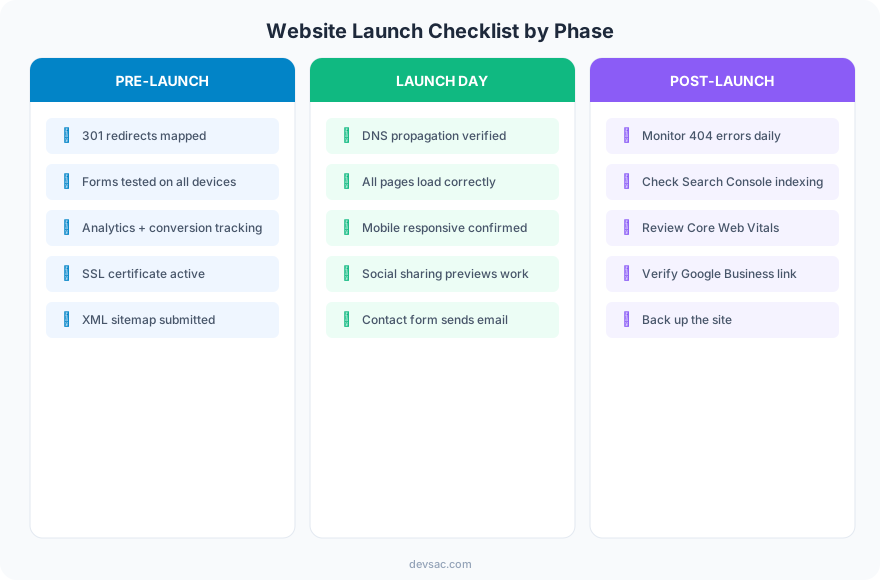
Pre-Launch (The Day Before)
301 redirects mapped. If any URLs changed from the old site, every old URL needs a redirect to its new location. Missing redirects mean lost SEO value and broken bookmarks.
Forms tested on all devices. Submit every form on desktop, iOS, and Android. Verify the email arrives. Verify the thank-you page loads. Verify the data appears in your CRM or inbox.
Analytics and conversion tracking live. GA4 installed, conversion events configured, goals set. If tracking is not working at launch, you lose data from your highest-visibility days.
SSL certificate active. Every page served over HTTPS. No mixed content warnings. Browsers warn visitors about non-HTTPS sites.
XML sitemap submitted. Submit to Google Search Console and Bing Webmaster Tools before launch so crawlers find your pages immediately.
Launch Day
DNS propagation verified. After switching DNS, verify the site loads from multiple locations. DNS changes can take up to 48 hours to propagate globally.
All pages load correctly. Click through every page on the live site. Check for broken images, missing CSS, JavaScript errors, and layout issues.
Mobile responsive confirmed. Test on at least two real phones (iOS and Android). Browser previews miss touch behavior, scroll locking, and font rendering differences.
Social sharing previews work. Share a page link on Facebook, Twitter, and LinkedIn. Verify the Open Graph image, title, and description display correctly.
Contact form sends email. Submit the live contact form. If the email does not arrive, you are losing leads from minute one.
Post-Launch (First 30 Days)
Monitor 404 errors daily. Check Google Search Console for crawl errors. Old bookmarks, external links, and cached search results will hit URLs that may have changed.
Check Search Console indexing. Verify new pages are being indexed. Request indexing for high-priority pages.
Review Core Web Vitals. Real-user performance data takes a few days to populate. Check for LCP, INP, and CLS issues.
Verify Google Business Profile link. Make sure your GBP points to the new site URL, not the old one.
Back up the site. Create a full backup after launch confirmation. This is your rollback point if anything breaks.
SEO Launch Checklist
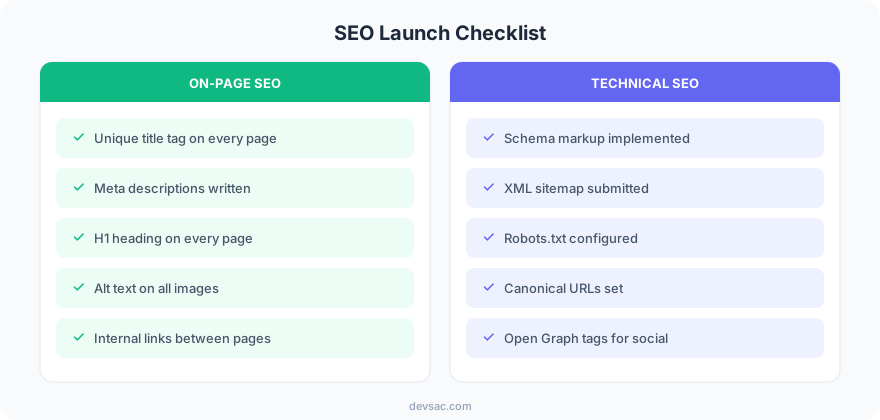
Every page needs: a unique title tag (under 60 characters), a meta description (under 155 characters), an H1 heading, alt text on all images, and internal links to related pages.
Technical SEO at launch: schema markup implemented, XML sitemap submitted, robots.txt configured correctly, canonical URLs set, and Open Graph tags for social sharing.
Post-Launch Monitoring Timeline
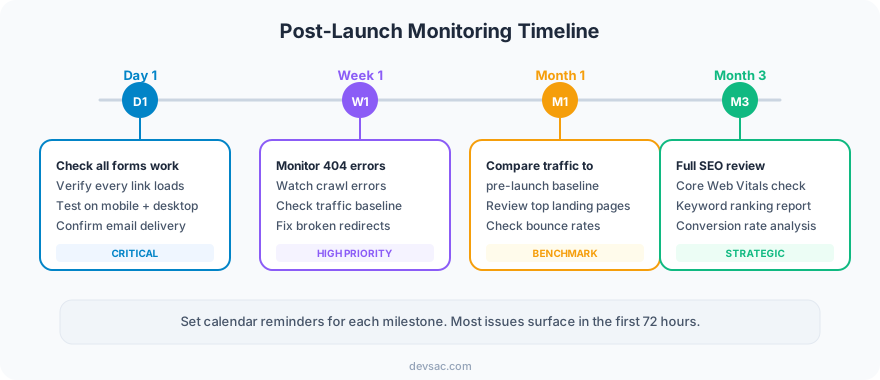
The first 90 days determine whether your launch is a success. Traffic comparisons to the pre-launch baseline tell you if the redesign helped or hurt. Any traffic drop in the first month needs immediate investigation.
FAQ
What is the most common website launch mistake?
Broken contact forms. It happens on every third launch. The form worked in staging but breaks in production because the email configuration, SMTP settings, or API keys are different. Always test forms on the live site before announcing the launch.
How long should you monitor after launch?
Actively for 30 days, then monthly for the first quarter. Most post-launch issues surface within the first week (broken links, missing redirects, crawl errors). SEO impact takes 30-90 days to appear.
A launch checklist is not overhead. It is insurance. Every item takes minutes to verify and prevents hours of emergency fixes.
Launching a new site? Get in touch about your launch.