7 Dead Ends on Your Website: How to Find and Fix Them
A dead end is any page where a visitor has no clear next step. They arrived, they read, and now they are stuck. The only option is the back button or closing the tab. That is a lost lead.
Dead ends turn up on every site audit. They are the silent conversion killers because they do not show up as errors. They show up as high exit rates buried in your analytics.
The 7 Most Common Dead Ends
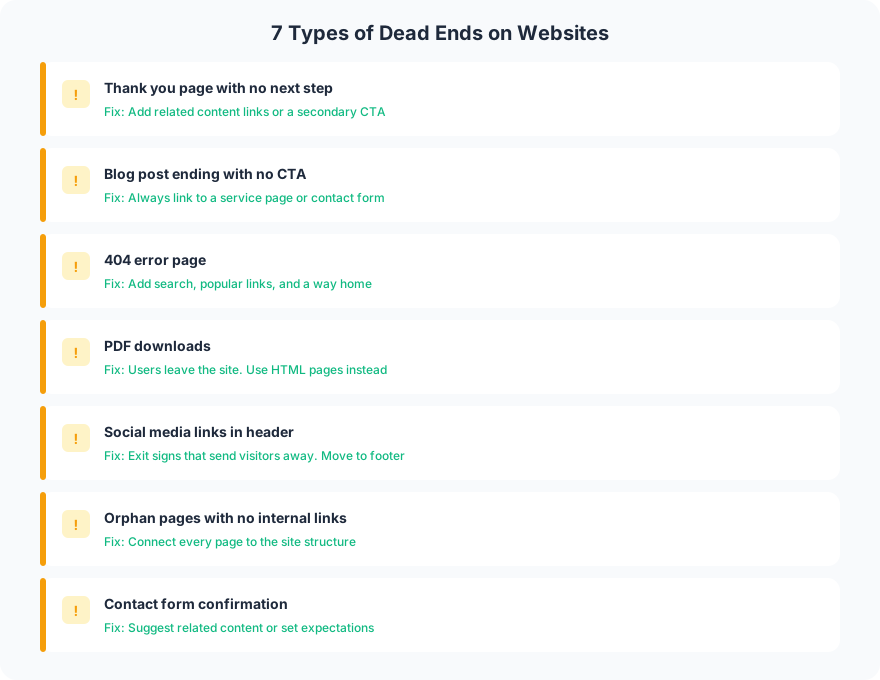
1. Thank-You Pages with No Next Step
Your visitor just filled out a contact form. They are engaged. They are interested. And your thank-you page says “Thanks! We will be in touch.” with nothing else.
This is one of the highest-value moments on your site, and most businesses waste it. Add links to your portfolio, a “what happens next” timeline, or a secondary CTA (“While you wait, read how we helped a similar client”).
2. Blog Posts That End with a Period
A blog post that ends with no call to action is a dead end. The visitor read 1,500 words, found value, and then hit a wall. Always end blog posts with a link to a service page, a contact form, or a related article.
3. 404 Error Pages
A visitor clicked a link and got a 404. Your default 404 page probably says “Page not found” with a link to the homepage. That is a dead end for engaged visitors who were looking for specific content.
Build a custom 404 page with a search bar, links to popular pages, and a path back to relevant content. Do not make them start over from the homepage.
4. PDF Downloads
When a visitor downloads a PDF, they leave your website. The PDF opens in a new context (their PDF reader) with no navigation, no CTA, no internal links. Every PDF is an exit.
If the content can live as an HTML page, make it an HTML page. If it must be a PDF (legal documents, printable forms), open it in a new tab and keep the original page visible.
5. Social Media Links in the Header
Social icons in the header are exit signs on every page. A visitor clicks the Facebook icon and enters a platform designed to keep them there, full of competitor ads, notifications, and distractions. They are not coming back.
6. Orphan Pages
An orphan page has no internal links pointing to it. It exists on your site but is not connected to any other page. Visitors can only find it through direct URL or search. When they do land on it, there are no contextual links to related content.
Connect every page to your site structure through internal links.
7. Contact Form Confirmations
Similar to thank-you pages, but worse. Many contact form confirmations are inline messages that replace the form with “Message sent!” and nothing else. The visitor just converted, and you gave them an empty screen.
How to Find Dead Ends
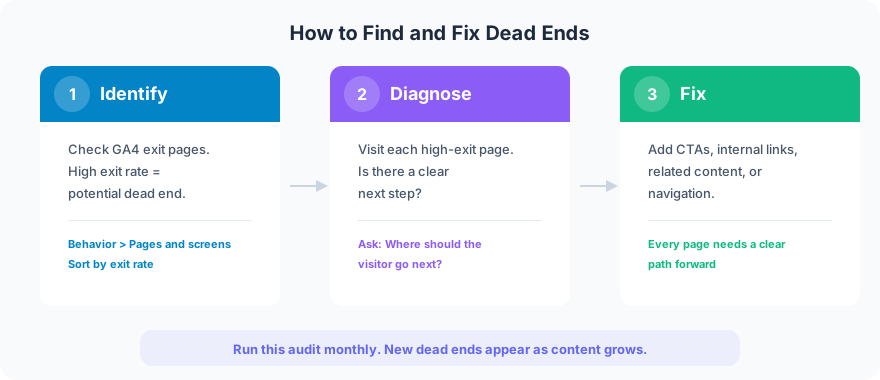
Step 1: Check your exit pages in GA4. Go to Engagement > Pages and screens, sort by exit rate. Pages with exit rates above 70% are potential dead ends.
Step 2: Visit each high-exit page. Ask: can the visitor take a clear next step from this page? Is there a CTA? Are there internal links to related content? Is there navigation?
Step 3: Fix each dead end. Add CTAs, internal links, related content suggestions, or navigation elements.
What a Fix Looks Like
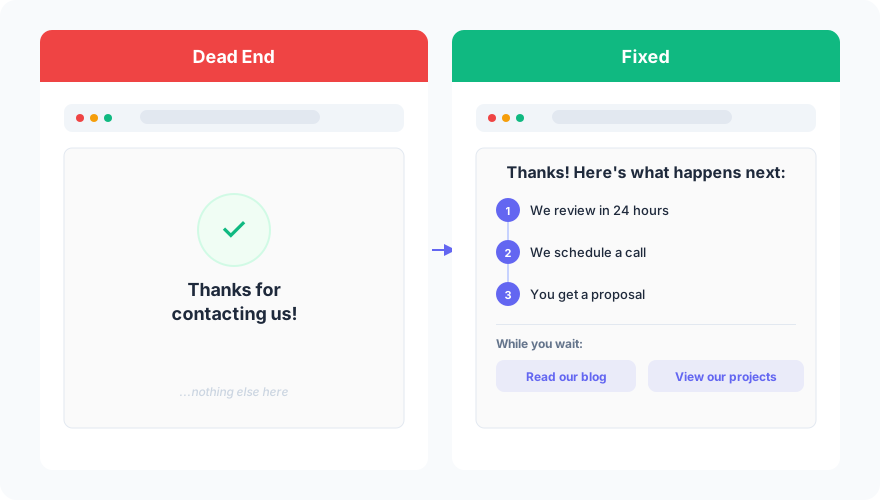
The fix is not complicated. It is intentional. Every page should answer: “What should the visitor do next?” If you cannot answer that question for a page on your site, it is a dead end.
FAQ
How often should I check for dead ends?
Monthly. New dead ends appear as you add content, create landing pages for campaigns, or update site structure. A monthly exit-rate review in GA4 catches them before they compound.
Is a high exit rate always bad?
Not always. Contact confirmation pages naturally have high exit rates because the visitor completed their goal. But if a service page or blog post has a 90% exit rate, visitors are leaving without taking action, and that is a dead end worth fixing.
Dead ends are invisible conversion killers. They do not break your site. They quietly leak visitors who were ready to engage. Find them in your analytics, fix them with CTAs and internal links, and check back monthly.
Want a dead-end audit of your site? Get in touch to find what you are losing.