12 Things to Remove from Your Website Right Now
Adding features to a website is easy. Removing them takes discipline. Every element on your page either helps a visitor take action or distracts them from it. There is no neutral.
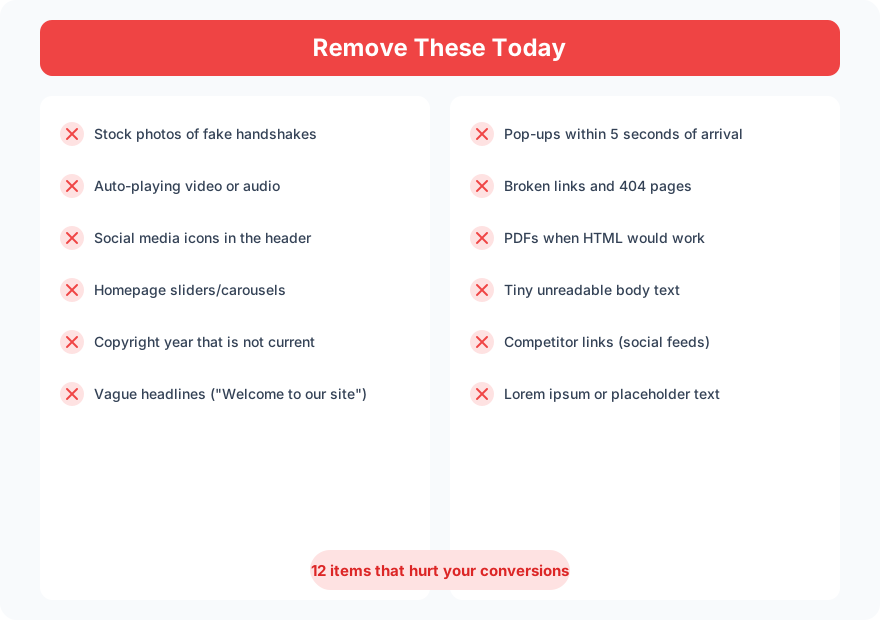
Website audits turn up the same offenders on every underperforming site. Here are 12 things you should remove today.
1. Stock Photos of Fake Teams
If your “team” page shows models in a boardroom, visitors know. Stock photos of handshakes, people pointing at laptops, and diverse groups in glass offices are so overused that they actively hurt trust. Replace them with real photos or remove them entirely.
2. Auto-Playing Video or Audio
Nothing makes a visitor hit the back button faster than unexpected sound. Auto-playing video consumes bandwidth, drains mobile battery, and disrupts the browsing experience. If you have a video, let the visitor click play.
3. Social Media Icons in the Header
Social icons in the header are exit signs. They send visitors away from your site to platforms full of distractions and competitor ads. Move them to the footer where engaged visitors will find them intentionally.
4. Homepage Sliders
Sliders get less than 1% interaction past the first slide. They slow page load, create banner blindness, and try to say five things at once. Replace with a single strong hero image and one clear message.
5. Pop-ups Within 5 Seconds
A pop-up that fires before the visitor reads a single sentence says “my email list matters more than your experience.” Wait at least 30 seconds, use exit-intent instead, or skip the pop-up entirely.
6. Outdated Copyright Year
If your footer says “2023” it tells visitors the site has not been touched in three years. Either automate the year with JavaScript or remove the year entirely. “2026” only.
7. Vague Headlines
“Welcome to Our Website” communicates nothing. Neither does “Your Trusted Partner” or “Innovative Solutions.” Replace with a specific statement of what you do and who you do it for.
8. PDFs When HTML Would Work
PDFs are not web pages. They are not mobile-friendly, not indexable in the same way, and force the visitor to download a file. If the content can be an HTML page, make it an HTML page.
9. Broken Links and 404 Pages
Run a crawl with Screaming Frog or a free broken link checker. Every broken link is a dead end that wastes visitor trust and hurts your SEO. Fix or redirect them.
10. Tiny Body Text
If your body text is under 16px, visitors are squinting. 18px is better for readability on modern screens. Small text is not elegant. It is a barrier.
11. Competitor Links via Social Feeds
Embedding your Instagram or Twitter feed on your website gives visitors a direct path to your competitors’ ads. The social platform controls what appears. A promoted post from a competitor could show up right on your homepage.
12. Placeholder Content
Lorem ipsum, “coming soon” sections, and empty team bios tell visitors your site is unfinished. Either fill them with real content or remove the sections until they are ready.
What to Replace Them With
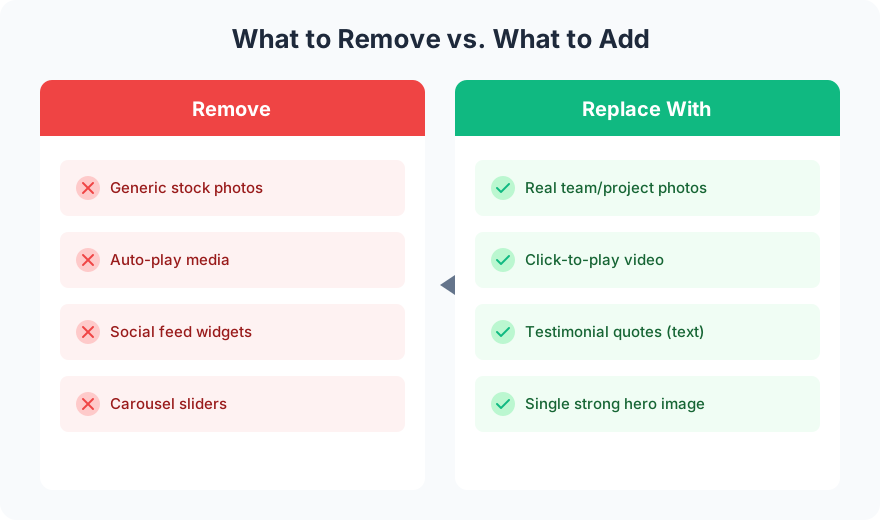
Removal is not about making your site sparse. It is about making every remaining element work harder.

Each element you remove makes everything remaining more visible. A page with 5 strong elements outperforms a page with 15 mediocre ones.
FAQ
How do I know if something should be removed?
Ask: does this element help a visitor take the next step? If the answer is no, it is either decorative clutter or a distraction. Check your analytics. Elements that get zero clicks in 90 days are not earning their spot.
Will removing content hurt my SEO?
Removing low-quality content improves SEO. Google rewards sites with high-quality, focused content over sites with bloated, thin pages. Run a content audit to identify what to keep and what to cut.
The best websites are not the ones with the most features. They are the ones where every element earns its place. Start removing today. Your conversion rate will thank you.
Need help cleaning up your site? Get in touch for a site audit.