Bounce Rate: What It Means and 5 Ways to Reduce It
Bounce rate is the percentage of visitors who leave your site after viewing only one page. A high bounce rate is not always bad, but it is always worth understanding.
What Is a Good Bounce Rate?

Context matters. Blog posts naturally have high bounce rates (65-90%) because visitors read one article and leave. Service pages should be lower (30-50%) because visitors are evaluating your business and should navigate deeper.
A 70% bounce rate on your homepage is a problem. A 70% bounce rate on a blog post answering a specific question is normal.
Bounce Rate vs Engagement Rate (GA4)
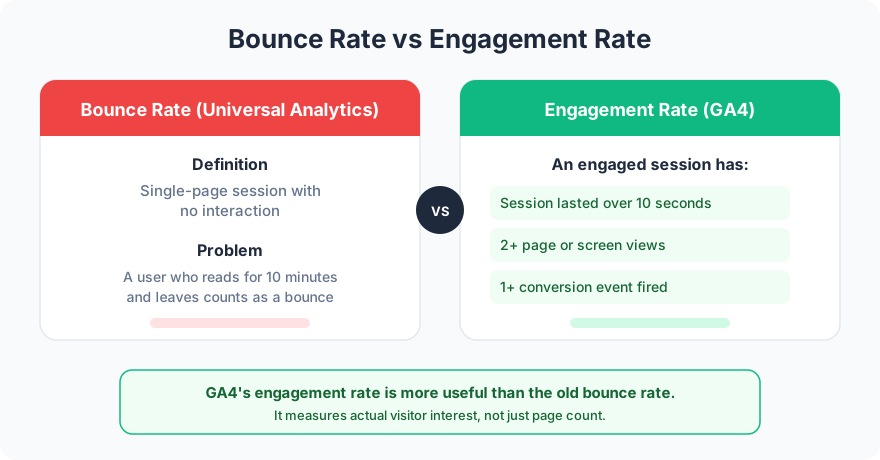
GA4 replaced bounce rate with “engagement rate.” An engaged session is one where the visitor stayed longer than 10 seconds, visited 2+ pages, or triggered a conversion event. This is more useful because a visitor who reads a blog post for 5 minutes and leaves is not really a “bounce” in any meaningful sense.
5 Common Causes and Fixes
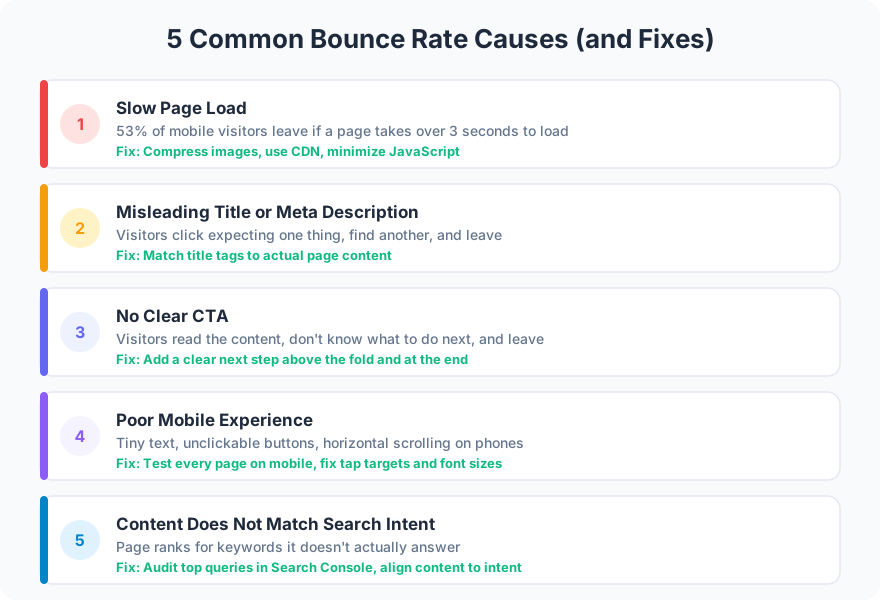
1. Slow page load. Every second of delay increases bounce rate. Optimize your Core Web Vitals.
2. Misleading title or meta description. If the search result promises one thing and the page delivers another, visitors leave immediately. Match your content to your title.
3. No clear next step. A page without a CTA or internal links is a dead end. Add paths forward.
4. Poor mobile experience. Tiny text, overlapping elements, and broken layouts on phones drive mobile bounces. Test on real devices.
5. Content mismatch. If someone searches “web design pricing” and lands on your about page, they will bounce. Ensure each page targets the right search intent.
FAQ
Should I try to get bounce rate to zero?
No. Some bounces are normal and expected. A visitor who reads your blog post, gets the answer, and leaves had a successful visit. Focus on reducing bounces on your service pages and homepage where deeper engagement matters.
How do I check bounce rate in GA4?
GA4 shows engagement rate by default. To see bounce rate, add it as a custom column in the Pages report. Bounce rate in GA4 = 100% minus engagement rate.
Do not obsess over bounce rate as a single number. Look at it per page type, understand the context, and fix the pages where high bounces indicate a real problem.
Want help diagnosing your bounce rate issues? Send an email about your analytics.