5 Ways to Keep Visitors on Your Pages Longer
The average time a visitor spends on a web page is 54 seconds. That is not enough time to read your headline, scan your content, and take action. If visitors leave before engaging with your page, search engines notice. Google uses engagement signals to evaluate content quality, and pages with low dwell time get pushed down in rankings.
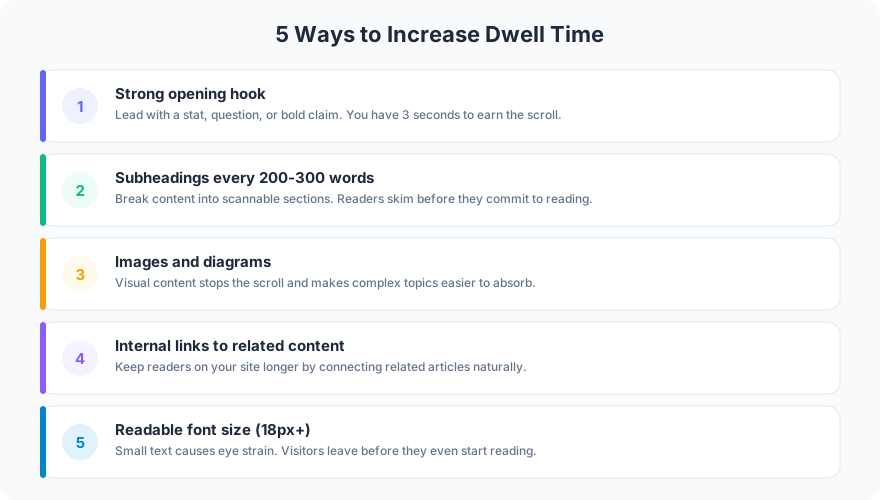
These five techniques have been tested across dozens of client sites. Each one independently increases time on page, and stacking them together produces measurable results.
1. Open With a Strong Hook
You have 3-5 seconds to convince a visitor to keep reading. The first sentence needs to deliver value, create curiosity, or state a surprising fact.
Bad opening: “In today’s digital landscape, businesses need to think about their online presence.” That sentence says nothing.
Good opening: “73% of visitors who leave your site in the first 5 seconds never come back.” That sentence gives you a reason to stay.
Start with a number, a direct statement, or a specific claim. Save the context for the second paragraph.
2. Add Subheadings Every 200-300 Words
Walls of text drive visitors away. When someone lands on your page and sees an unbroken block of 800 words, they leave. Subheadings break content into scannable sections and give readers permission to jump to what interests them.
The data backs this up. Pages with subheadings every 200-300 words have 36% higher engagement than pages with longer unbroken sections. Subheadings also help Google understand your content structure, which improves rankings.
Use descriptive subheadings that tell the reader what each section covers. “Step 3: Set Up Your Analytics” is better than “Next Steps.”
3. Use Images and Diagrams
A page with relevant images gets 94% more views than a text-only page. Images break up content visually, illustrate concepts, and give the eye a resting point between text sections.
The key word is “relevant.” Stock photos of people shaking hands do not increase engagement. Diagrams, charts, screenshots, and annotated images do. Every image should add information the text alone does not provide.
Every page Frog Stone Media builds gets at least one custom diagram or screenshot. The pages with visual content consistently outperform text-only pages in both time on page and conversion rate.
4. Add Internal Links
Internal links keep visitors on your site by giving them a natural next step. When a reader finishes a section and sees a link to a related topic, a percentage of them will click through. That is a second pageview, more time on site, and a stronger engagement signal.
Understanding what drives bounce rate helps you place internal links strategically. Link to related content within the body of your article, not just at the bottom. A link in the third paragraph gets more clicks than a “Related Posts” section after the conclusion.
Use 2-4 internal links per page. More than that dilutes the value of each link and can feel spammy.
5. Use 18px+ Font Size
This one is simple and overlooked. Body text below 16px is hard to read on mobile devices. Hard-to-read text means visitors leave faster. Increasing font size to 18px or 20px for body text immediately improves readability and time on page.
Line height matters too. Set it to 1.5-1.7 times the font size. A 20px font with 32px line height is comfortable to read for extended periods. Cramped text is not.
FAQ
Does dwell time directly affect Google rankings?
Google has never confirmed dwell time as a direct ranking factor. But they do use engagement signals from Chrome data and search behavior. Pages where users quickly return to search results (pogo-sticking) rank lower over time. Improving dwell time addresses the behavior Google penalizes, regardless of the exact mechanism.
What is a good dwell time for a blog post?
For blog posts between 800-1,500 words, aim for 2-4 minutes average time on page. Service pages should target 1-2 minutes. If your analytics show under 30 seconds on content pages, there is a structural problem with your content or page design.
Want to diagnose why visitors leave your pages too quickly? Get in touch for an engagement audit of your top pages.